Little Rock July 2026 Workshop: More MultiOmics with R
This workshop will be held in person in Little Rock. Note the newly updated room locations! All times on this agenda are Central Daylight Time.
- Pre-workshop instructions including information on optional office hours for software installation troubleshooting
- Agendas and materials for each day
- Day 0 (pre-workshop office hours, Monday, July 13) - Charlie Whiteside Boardroom, Professional Building 2, 11 Children’s Way
- Day 1 (Tuesday, July 14) - Conference Room N2007, ACNC 2nd Floor, 13 Children’s Way
- Day 2 (Wednesday, July 15) - Conference Room N2007, ACNC 2nd Floor, 13 Children’s Way
- Instructor team
- Post-workshop survey
Pre-workshop instructions
You have two options for following along with the code in the workshops. Click on an option to expand instructions.
Option 1: Run code on Posit Cloud

Option 1 - Posit Cloud: I have created a shared project space on a Posit Cloud demo R server. You can run the R code on for this workshop without installing anything on your own computer. You will need to click on the invitation link in the workshop welcome email. Then you will register for a Posit Cloud account if you do not already have one, free of charge, and create your own workspace within the shared project. All the example data, packages, and code worksheets for the workshop will be there ready to go.
Here are detailed instructions on how to get set up on Posit Cloud.
NOTE: Your cloud access to RStudio is for instructional purposes only. Do not upload your own data to this cloud server.
Step 1. Create account
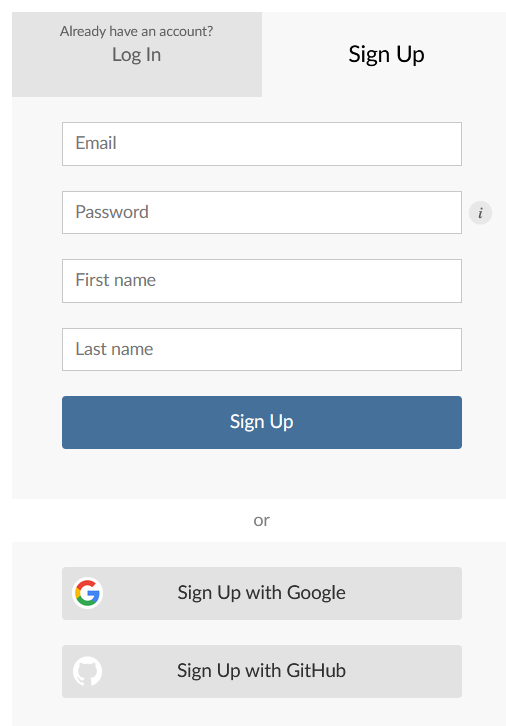
You will receive a signup link by email. Please let your instructor know if you need the link to be resent.
Open the link in your browser. You’ll be prompted to either log in or sign up. Click “Sign Up” to create an account.
Step 2. Verify email
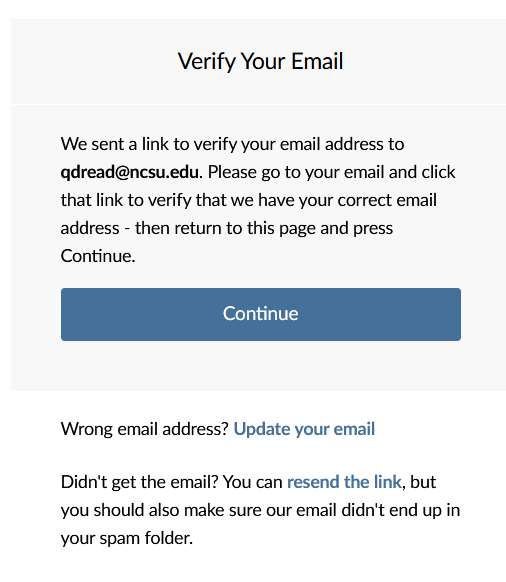
Verify the email address that you used to create the account.
Step 3. Join workspace
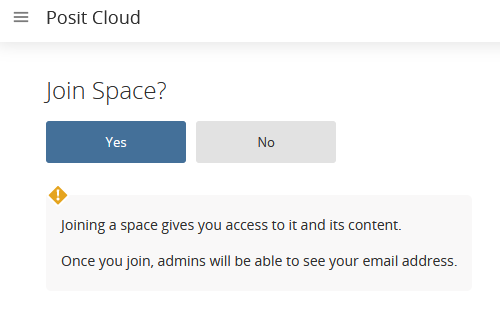
When you log in, you will be asked whether you want to join the “July 2026 Little Rock” workspace. Click “Yes”!
Step 4. Open workspace
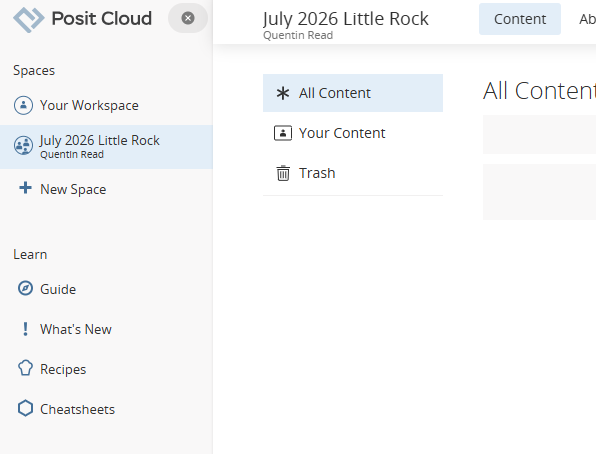
Select the “July 2026 Little Rock” workspace in the left-hand navigation bar.
Step 5. Create project
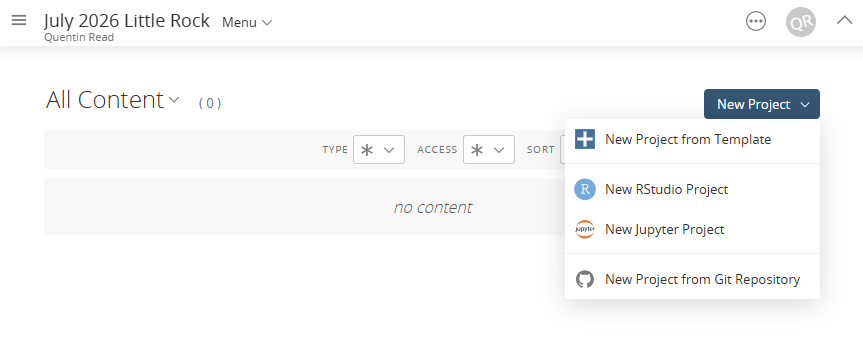
You will not have any projects at first. Go to the “New Project” dropdown menu in the upper right corner and select the second option, “New RStudio Project.”
This will bring up a new RStudio session with all the needed packages installed, the worksheets to follow along with, and the example data. You can run all the code you need for this workshop right from your browser!
Whenever you exit Posit Cloud and return, go back to the “July 2026 Little Rock” space, open the project again, and everything will be just as you left it. If you feel you have messed something up, don’t worry! You can start all over again by creating a new RStudio Project.
Option 2: Install software and run code on your own local computer

Option 2 - Local computer: Install R, RStudio, and all necessary R packages on your own computer. We will not have time during the workshop to troubleshoot any installation issues that may arise. But you may find it more convenient in the long term to have access to all the software to fit models to your own data locally.
You’ll need to install the following software on your local machine.
- R (version 4.4 or higher)
- RStudio (optional but highly recommended)
- R packages
Follow these steps to install R, RStudio, and the needed R packages.
NOTE: You will need to be connected to the Internet to install this software.
Step 1. Install R
You will need to download R from The Comprehensive R Archive Network, or CRAN. If you are using an older version of R, please update to version 4.4 or higher.
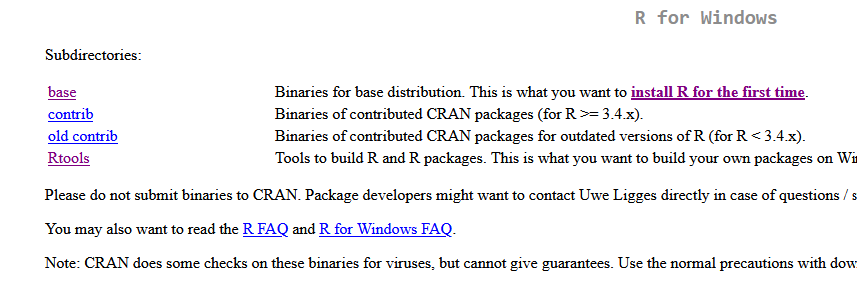
Go to the CRAN website and select the link to download the most recent version of R for your operating system. Follow the installation instructions.
Step 2. Install RStudio
RStudio is an additional software program that makes it easy for you to write R code. It provides an interface that lets you run code, edit scripts, see what variables are in your working environment, and manage files. RStudio is a program that makes it easier to use R, but you need to download both R and RStudio separately.
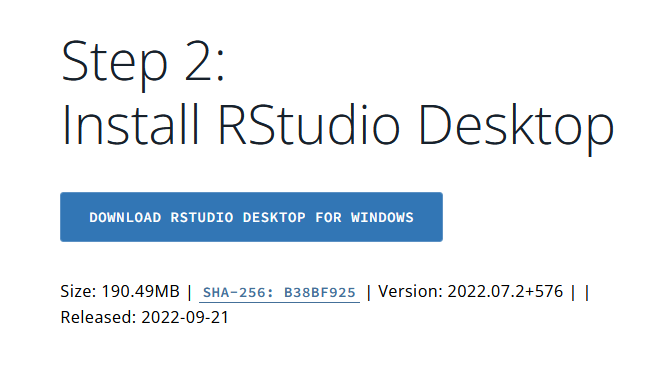
Go to the RStudio Desktop download page and download the free version of RStudio Desktop. You will need admin rights to install it on a USDA machine.
Step 3. Install R packages
Run the following code in your R or RStudio console (copy and paste). This installs all R packages needed for the workshop.
install.packages(c('BiocManager', 'ggplot2', 'RColorBrewer', 'gplots', 'ggrepel'))

BiocManager::install(c('mixOmics', 'limma', 'edgeR', 'Mus.musculus', 'ComplexHeatmap'))
Step 4. Download the worksheets
Find the link to download the worksheets for each day’s lesson further down on this page. Open it in R or RStudio to follow along with the code during the workshop. Good luck!
Workshop agenda and materials
You will need to bring your laptops, with software installed following the above instructions or with an Internet connection to work on the demo server, to participate in the hands-on sessions. Before each lesson, you will need to open that lesson’s code worksheet in your RStudio session. Links to individual worksheets are found with the materials for each day.
Day 0: Monday, July 13
- 12:00 PM - 2:00 PM: One-on-one meetings/consultations
- 2:00 PM - 3:00 PM: Pre-workshop office hours: Bring your laptop and I will help you get your software installed for the workshop or get you logged in to Posit Cloud and troubleshoot any issues that come up
- 3:00 PM - 5:00 PM: One-on-one meetings/consultations
Day 1: Tuesday, July 14
- 9:00 AM - 10:15 AM: Introductions, followed by 45-minute talk on experimental design (talk slides here), and 15 minutes of Q&A
- 10:15 AM - 10:30 AM: Break
- 11:00 AM - 12:30 PM: OMICS hands-on workshop, part 1: Data processing and exploration - transcriptome
- 12:30 PM - 2:00 PM: Lunch
- 2:00 PM - 5:00 PM: One-on-one meetings/consultations/office hours
Day 2: Wednesday, July 15
- 9:00 AM - 10:45 AM: OMICS hands-on workshop, part 2: Data processing and exploration - proteome
- 10:45 AM - 11:00 AM: Break
- 11:00 AM - 12:30 PM: OMICS hands-on workshop, part 3: (Just scratching the surface of) integrating multiple omics datasets
- 12:30 PM - 2:00 PM: Lunch
- 2:00 PM - 5:00 PM: One-on-one meetings/consultations/office hours
Instructor team
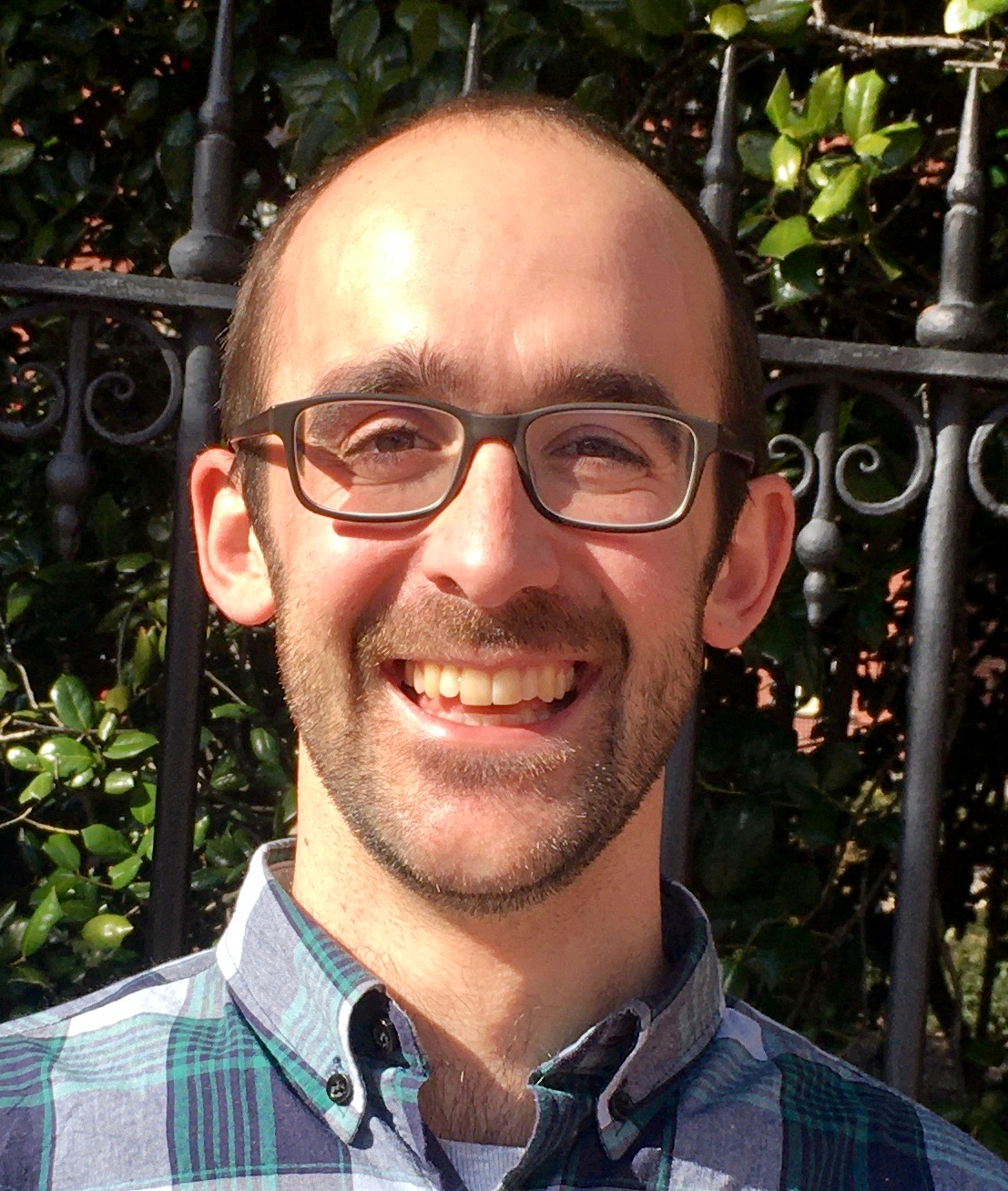
Quentin has been the USDA ARS Southeast Area Statistician since 2021. He has a background in plant ecology and interdisciplinary socio-environmental research. Scientists from around the Southeast consult with him on statistics, experimental design, and data science. He enjoys promoting R, Bayesian statistics, and open and reproducible science at USDA.
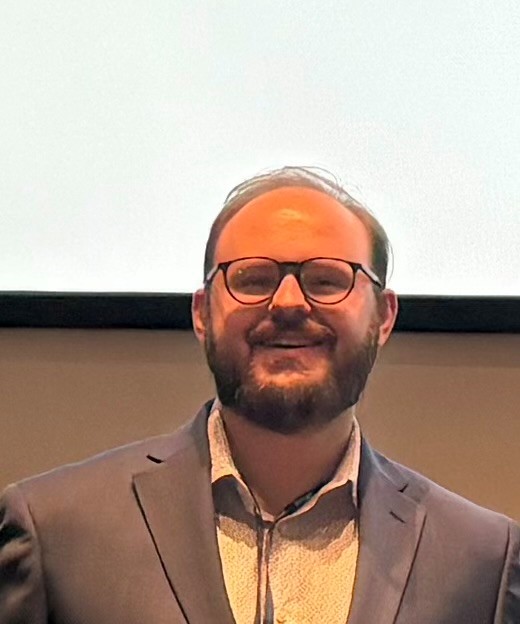
Matt is an ORISE Bioinformatics Fellow working with the USDA Microbiome and Metabolism Research Unit. His background is in using long-read sequencing to study structural variants in cancer. He is particularly interested in data integration and multiomics.
Post-workshop survey
Please help me improve future trainings by taking a quick (<5 minute) survey telling me what you thought about the workshop!
Page last updated 2026-07-13